Token.io's Hosted Pages (HP) guide the user through payment request initiation, consent, and authentication with the bank.
Token.io's HP support the redirect, decoupled and embedded authentication models.
Token.io offers the following HP integration options:
- Embedded (modal) integration - seamlessly integrates Token.io's HP functionality into your website by creating a 'Pay by Bank' button for your checkout page, which opens the HP in a modal window. This type of integration uses HP v2.
See Integrate with Token.io's modal SDK for more details.
- Redirect integration - directs the user from your website to open Token.io's HP in a new tab, using a redirect URL. Redirect integration is available for HP v2 and HP v1.
This section describes the integration option where the TPP uses Token.io's HP for all or some of the steps in the user journey. For example, the TPP can own bank selection and then hand over to the HP for authentication, which may provide better user continuity.
All authentication methods are handled entirely by the HP. The user accesses the HP through a Pay by Bank button created on the TPP's checkout page which opens the HP in a modal window.
Click the image on the right to view a simplified swim lane diagram of the integration flow.
Details of the steps within the integration flow are shown below.
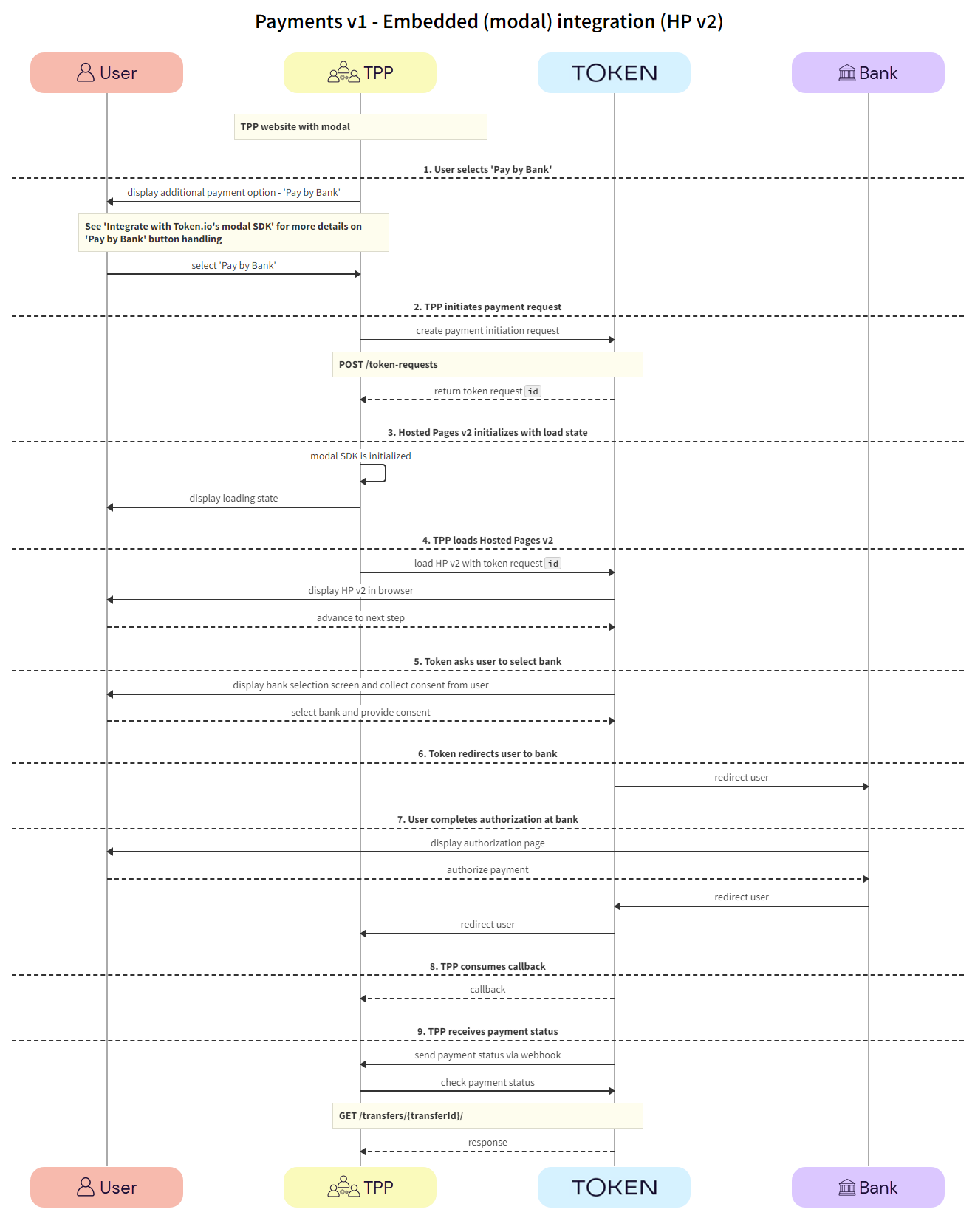
When using embedded (modal) integration, you must create a payment session/token request in order to render the Pay by Bank button.
The user clicks the 'Pay by Bank' button displayed on the TPP's website.
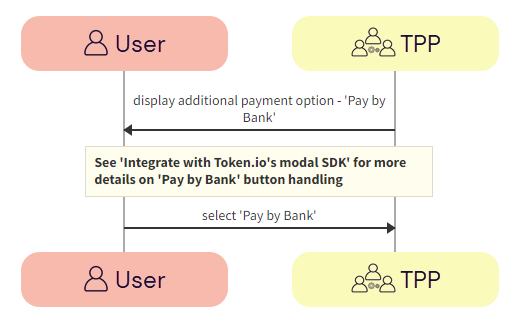
a. TPP -> User - The TPP displays the 'Pay by Bank' button on the payment page of their website.
See Integrate with Token.io's modal SDK for more details on creating the Pay by Bank button.
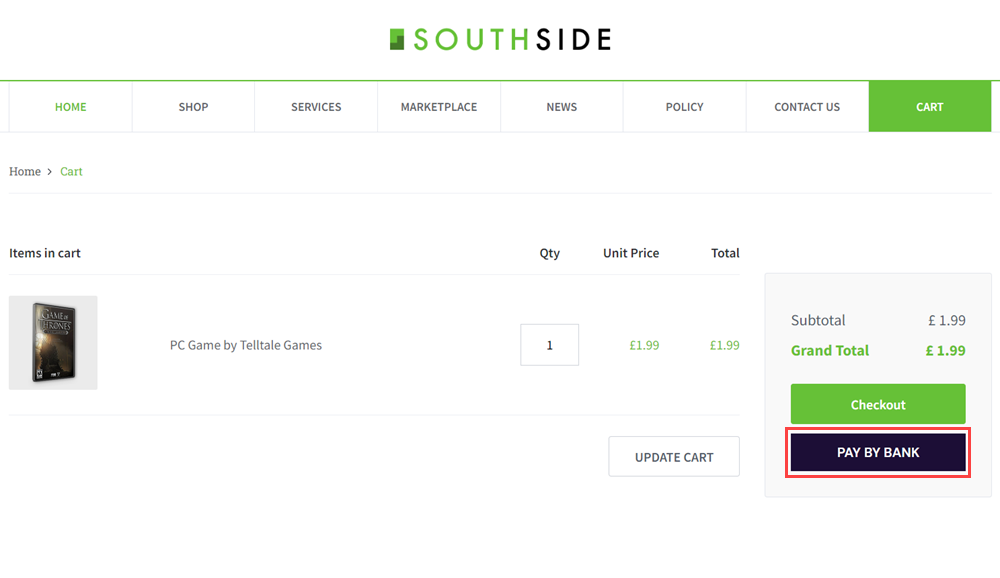
b. User -> TPP - The user clicks the 'Pay by Bank' button.
The TPP displays the Pay by Bank button. Clicking this launches Token.io's HP. The TPP initiates the payment request with Token.io using the POST /token-requests call. Token.io responds by acknowledging the details of the request, and providing the details for the next step, which in most cases will include a redirect URL to the bank.
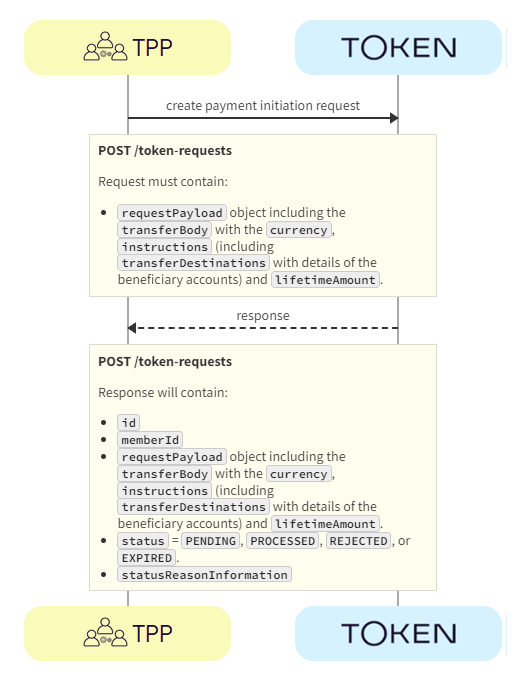
a. TPP -> Token.io - The TPP creates the payment initiation request using the POST /token-requests call.
If you're using Settlement accounts and you're an unregulated TPP, you'll always need to send the Settlement account id of the sub-TPP in the POST /token-requests request.
b. Token.io -> TPP - Token.io generates a response to the payment initiation request which includes the token request id.
The modal SDK is initialized and the TPP displays a loading state in the modal SDK.
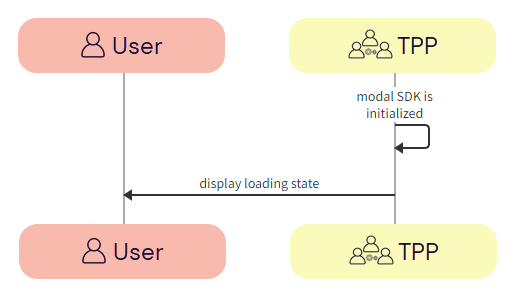
a. TPP -> TPP - The redirect URL is loaded to initialize the modal SDK.
b. TPP -> User - The TPP displays a loading state to the user in the modal SDK.

The TPP loads the Hosted Pages in the modal SDK. Token.io displays the HP to the user.
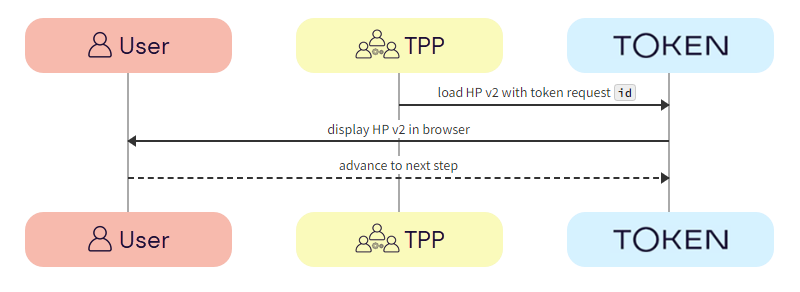
a. TPP -> Token.io - The TPP loads the Hosted Pages in modal SDK using the redirect URL containing the token request id.
b. Token.io -> User - Token.io displays the HP to the user. This can be the optional onboarding screen or the bank selection page (go to Step 5).
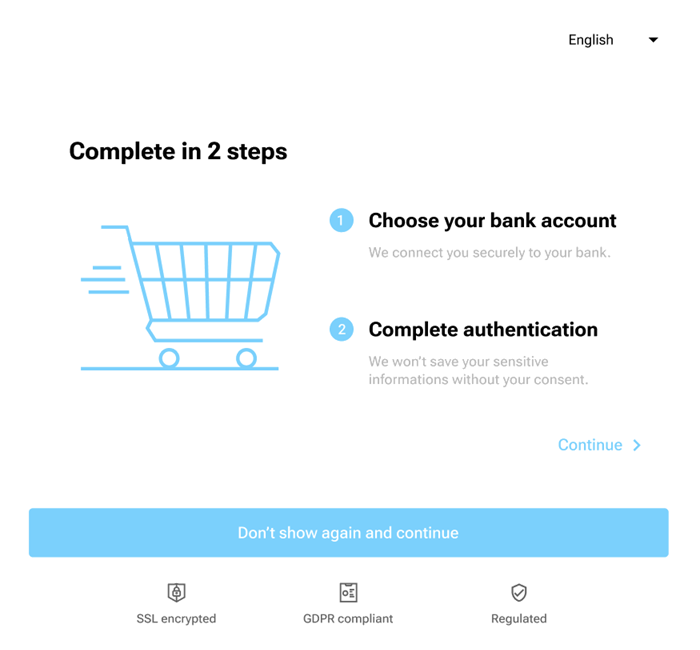
c. User -> Token.io - The user advances to the next step in the payment flow.
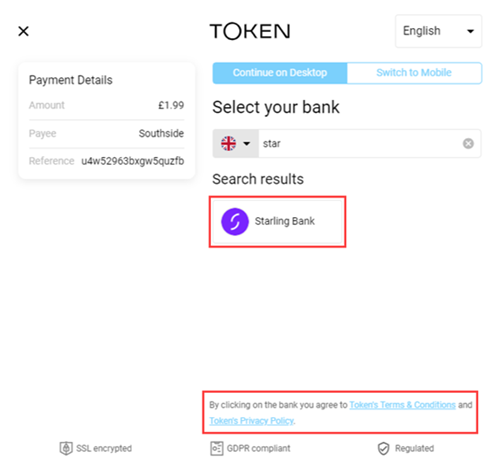
Token.io asks the user to select the bank they want to make the payment through. By selecting the bank, the user provides consent to Token.io.
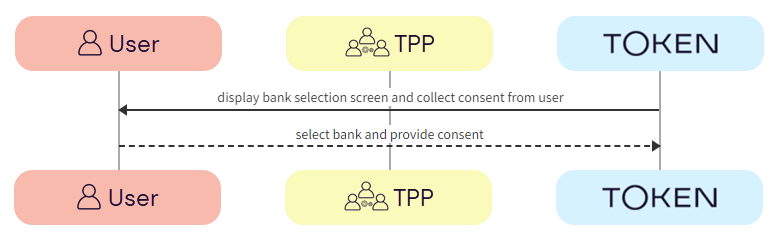
a. Token.io -> User - Token.io displays the bank selection screen to the user.
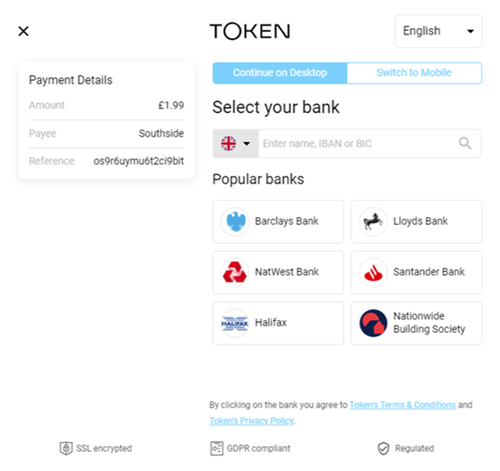
b. User -> Token.io - The user selects the bank. By selecting the bank, the user agrees to Token's Terms & Conditions and Token's Privacy Policy.
Token.io redirects the user to the bank.
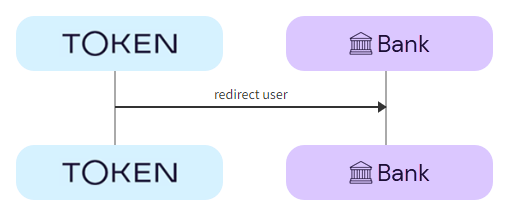
a. Token.io -> Bank - Token.io redirects the user to the bank using the redirectUrl.
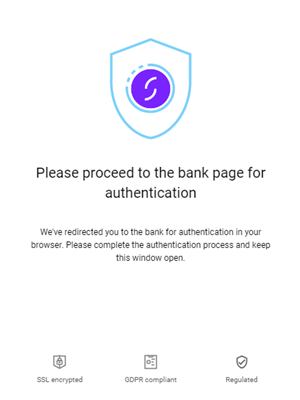
The user completes authorization with the bank.
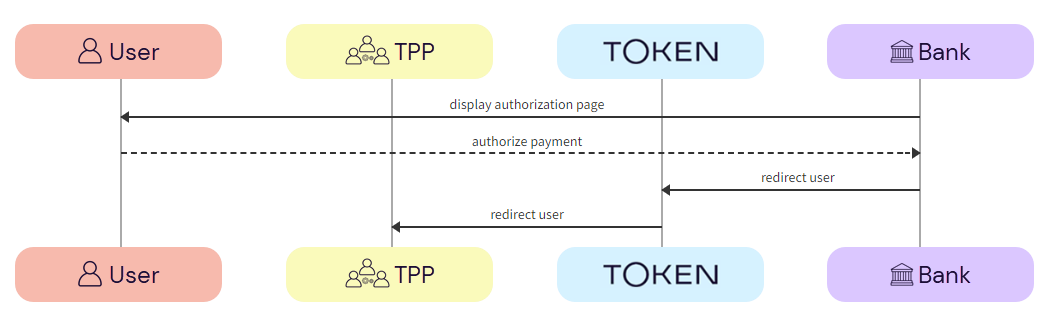
a. Bank -> User - The bank displays the authorization page to the user.
b. User -> Bank - The user authorizes the payment with the bank.
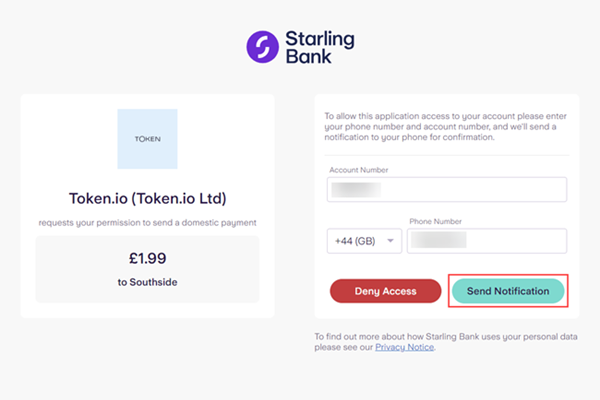
The authorization process will vary according to the bank selected.
c. Bank -> Token.io - The bank redirects the user to Token.io.
d. Token.io -> TPP - Token.io redirects the user to the TPP.
The TPP consumes the Token.io callback.
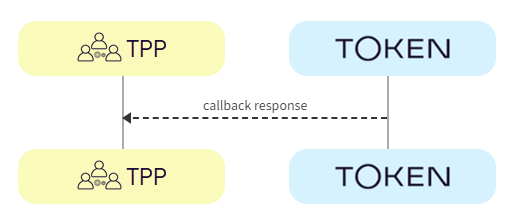
a. Token.io -> TPP - The TPP consumes the Token.io callback and sends a response:
onDone - 'Payment processing'
onError - 'An error occurred during processing'
The payment status is sent from Token.io to the TPP in a webhook. Alternatively, Token.io offers an API to retrieve the current status of the initiated payment request.
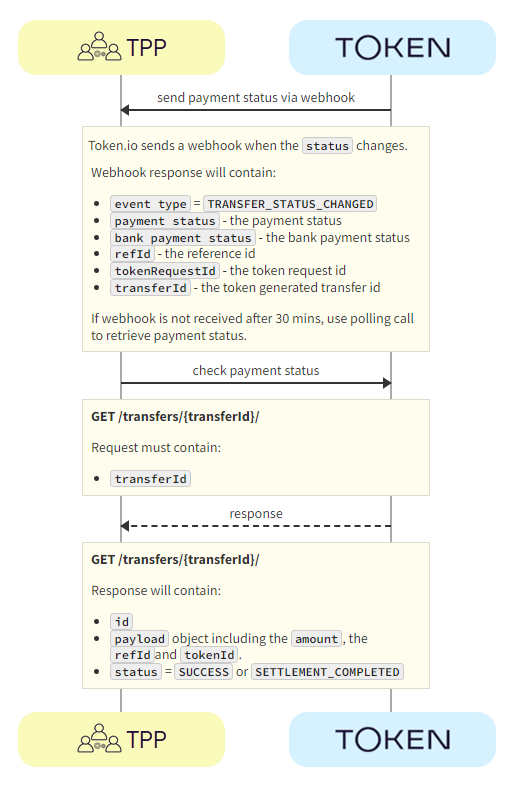
a. Token.io -> TPP- Token.io sends the payment status to the TPP using a webhook.
If you're subscribed to webhooks, Token.io sends the payment status in a webhook every time a transfer is created or updated.
See Webhooks for an example webhook notification.
If the webhook is not received within 30 minutes, the TPP should call GET /transfers/{transferId} to retrieve the payment status.
If you're not using webhooks, you'll need to use GET /token-requests/{tokenRequestId}/result to obtain the transferId to then call GET /transfers/{transferId}.
See Alternative to webhooks for more details.
b. TPP -> Token.io - The TPP checks the status with Token.io with the GET /transfers/{transferId} request.
c. Token.io -> TPP - Token.io confirms the payment status with the GET /transfers/{transferId} response.
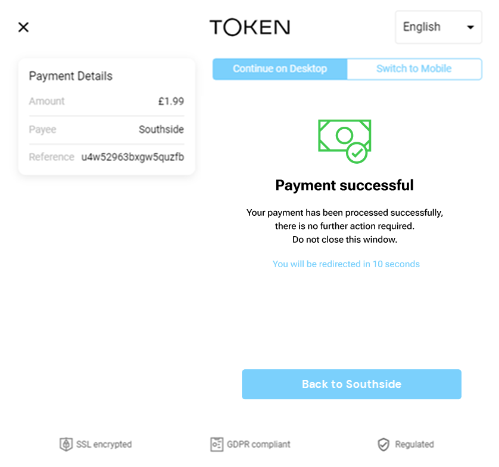
If you're using Settlement accounts and the payment initiation request is successful, once the payment has been reconciled, the status will be SETTLEMENT_COMPLETED. Depending on the payment rail used, this can take a while.
If you're not using Settlement accounts and the payment initiation request is successful, the status will be SUCCESS, but this does not guarantee that the payment has been settled.
If the status is non-final, e.g., PROCESSING, the TPP should wait for additional webhooks to be sent. If the webhook is not received, the TPP should use a polling call (GET /transfers/{transferId}) every 15 mins.
The recommended maximum polling time is 30 days. If the bank doesn't update the status, it will change to INITIATED after 30 days.
See HTTP errors for information on HTTP error status codes.
This section describes the HP v1 integration option, where the TPP uses Token.io's HP for all or some of the steps in the user journey. For example, the TPP can own the bank selection and then hand over to the HP for authentication, which may provide better user continuity.
All authentication methods are handled entirely by the HP. The user accesses the HP through a redirect URL which opens a new browser tab.
Click the image on the right to view a simplified swim lane diagram of the integration flow.
Details of the steps within the integration flow are shown below.
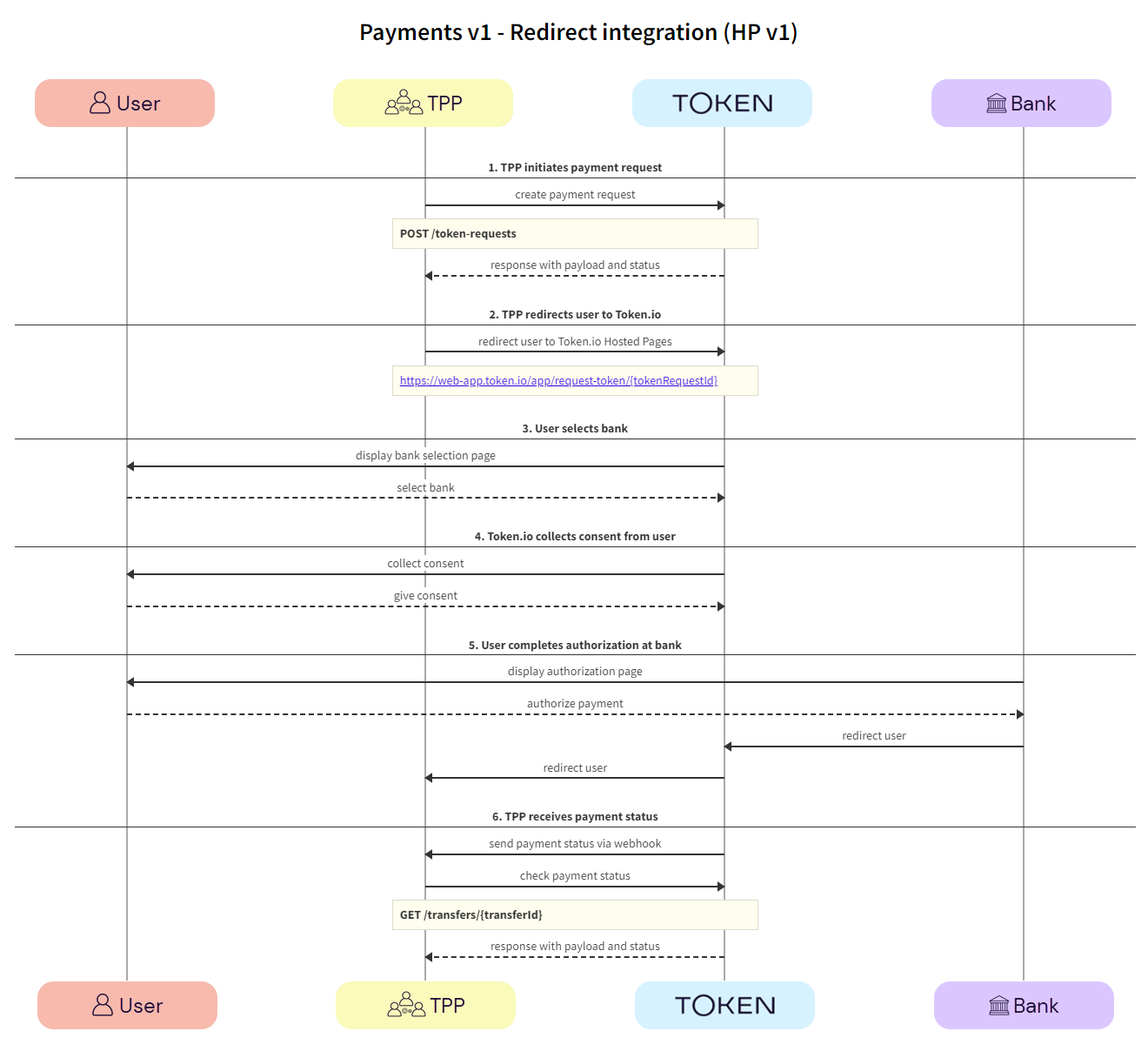
The TPP initiates the payment request with Token.io using the POST /token-requests call. Token.io responds by acknowledging the details of the request.
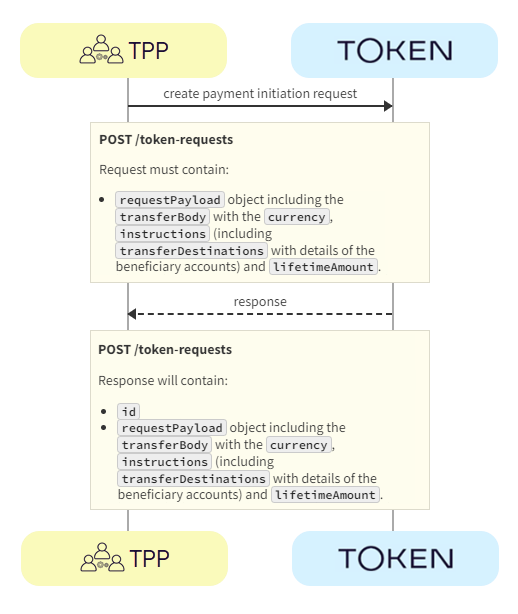
a. TPP -> Token.io - The TPP creates the payment initiation request using the POST /token-requests call.
If you're using Settlement accounts and you're an unregulated TPP, you'll always need to send the Settlement account id of the sub-TPP in the POST /token-requests request.
b. Token.io -> TPP - Token.io generates a response to the payment initiation request.
The TPP redirects the user to the Token.io HP.
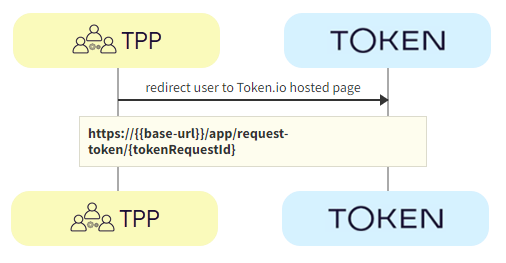
a. TPP -> Token.io - The TPP redirects the user to the Token.io HP at https://{{base-url}}/app/request-token/{tokenRequestId}.
See Base URLs and Create a redirect URL for details on how to construct the redirect URL.
The user selects the bank from the Token.io HP.
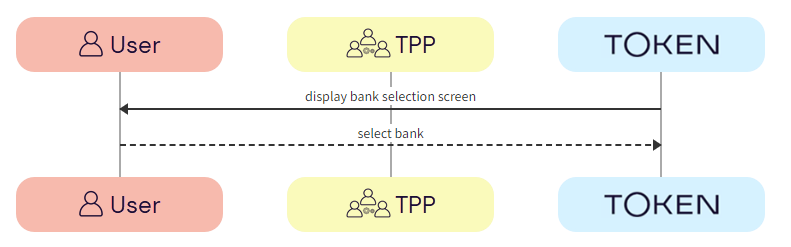
a. Token.io -> User - Token.io displays the bank selection screen.
We recommend using the countries parameter in the POST /token-requests here, which can be used to pre-populate the Country field.
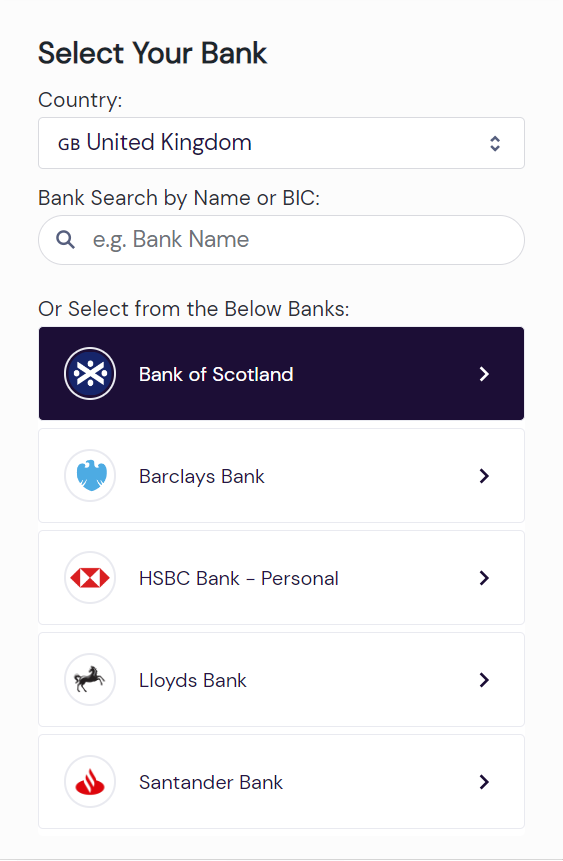
b. User -> Token.io - The user selects the bank.
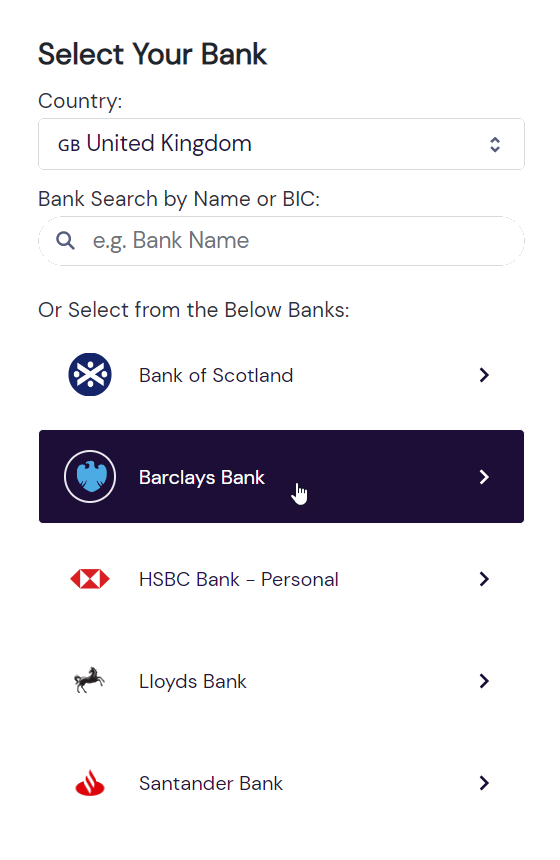
Token.io collects consent from the user.
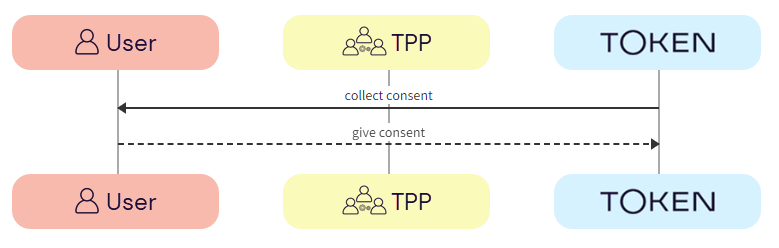
a. Token.io -> User - Token.io requests consent from the user.
b. User -> Token.io - The user provides consent to Token.io.
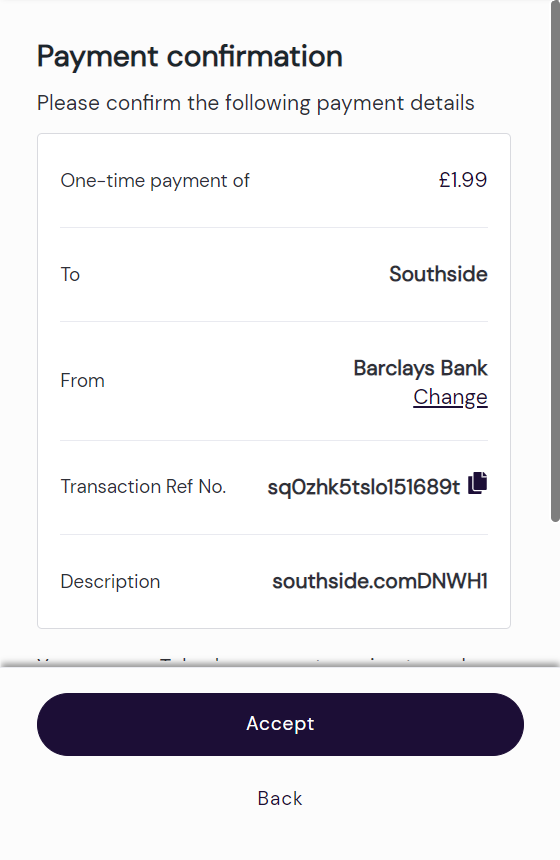
If the selected bank uses the redirect flow, clicking on Accept will initiate the redirect to the user’s bank at this point.
The user completes authorization with the bank using the appropriate method; redirect, embedded or decoupled.
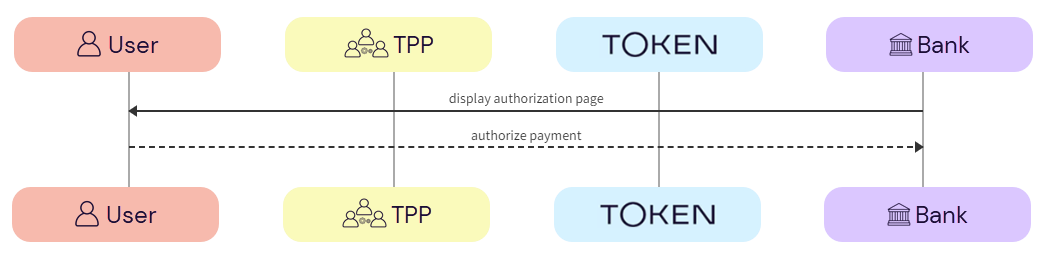
a. Bank -> User - The bank displays the authorization page to the user.
b. User -> Bank - The user authorizes the payment with the bank.
The payment status is sent from Token.io to the TPP in a webhook. Alternatively, Token.io offers an API endpoint to retrieve the current status of the initiated payment request.
a. Token.io -> TPP - Token.io sends the payment status to the TPP using a webhook.
If you're subscribed to webhooks, Token.io sends the payment status in a webhook every time a transfer is created or updated.
See Webhooks for an example webhook notification.
If the webhook is not received within 30 minutes, the TPP should call GET /transfers/{transferId} to retrieve the payment status.
If you're not using webhooks, you'll need to use GET /token-requests/{tokenRequestId}/result to obtain the transferId to then call GET /transfers/{transferId}.
See Alternative to webhooks for more details.
b. TPP -> Token.io - The TPP checks the status with Token.io with the GET /transfers/{transferId} request.
c. Token.io -> TPP - Token.io confirms the payment status with the GET /transfers/{transferId} response.
If you're using Settlement accounts and the payment initiation request is successful, once the payment has been reconciled, the status will be SETTLEMENT_COMPLETED. Depending on the payment rail used, this can take a while.
If you're not using Settlement accounts and the payment initiation request is successful, the status will be SUCCESS, but this does not guarantee that the payment has been settled.
If the status is non-final, e.g., PROCESSING, the TPP should wait for additional webhooks to be sent. If the webhook is not received, the TPP should use a polling call (GET /transfers/{transferId}) every 15 mins.
The recommended maximum polling time is 30 days. If the bank doesn't update the status, it will change to INITIATED after 30 days.
See HTTP errors for information on HTTP error status codes.
This section describes the HP v2 integration option, where the TPP uses Token.io's HP for all or some of the steps in the user journey. For example, the TPP can own the bank selection and then hand over to the HP for authentication, which may provide better user continuity.
All authentication methods are handled entirely by the HP. The user accesses the HP through a redirect URL which opens a new browser tab.
Click the image on the right to view a simplified swim lane diagram of the integration flow.
Details of the steps within the integration flow are shown below.
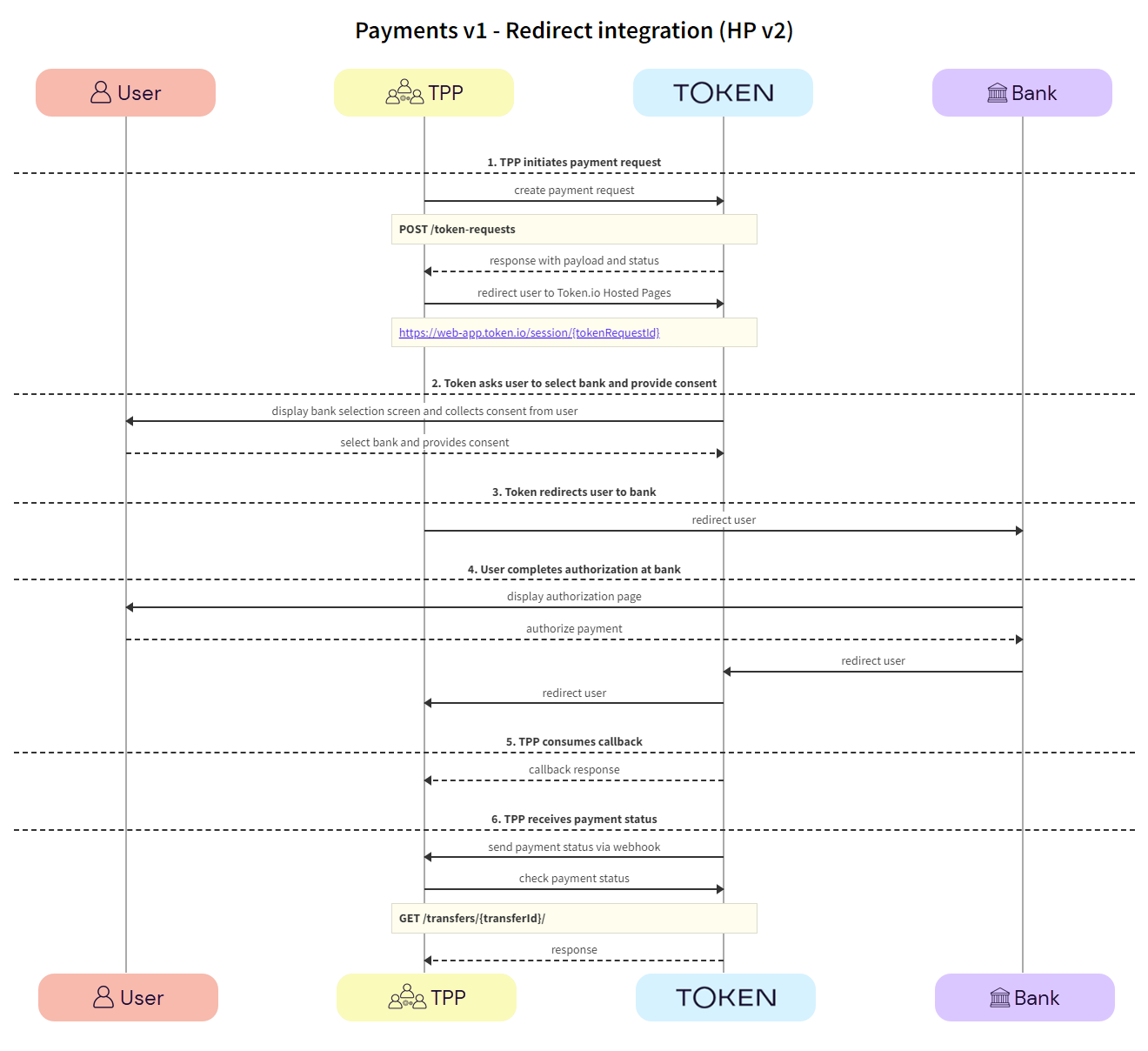
The TPP initiates the payment request with Token.io using the POST /token-requests call. Token.io responds by acknowledging the details of the request.
a. TPP -> Token.io - The TPP creates the payment initiation request using the POST /token-requests call.
If you're using Settlement accounts and you're an unregulated TPP, you'll always need to send the Settlement account id of the sub-TPP in the POST /token-requests request.
b. Token.io -> TPP - Token.io generates a response to the payment initiation request.
c. TPP -> Token.io - The TPP redirects the user to the Token.io HP at https://{{base-url}}/session/{tokenRequestId}.
See Base URLs and Create a redirect URL for details on how to construct the redirect URL.
Token.io asks the user to select the bank they want to make the payment through. By selecting the bank, the user provides consent to Token.io.
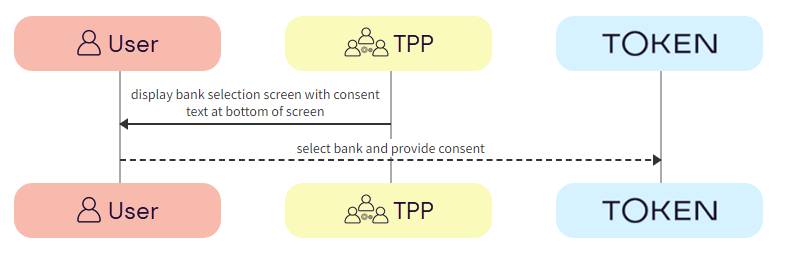
a. Token.io -> User - Token.io displays the bank selection screen to the user.
b. User -> Token.io - The user selects the bank. By selecting the bank, the user agrees to Token's Terms & Conditions and Token's Privacy Policy.
a. Token.io -> Bank - Token.io redirects the user to the bank.
The user completes authorization with the bank.
a. Bank -> User - The bank displays the authorization page to the user.
b. User -> Bank - The user authorizes the payment with the bank.
The authorization process will vary according to the bank selected.
c. Bank -> Token.io - The bank redirects the user to Token.io.
d. Token.io -> TPP - Token.io redirects the user to the TPP.
The TPP consumes the Token.io callback.
a. Token.io -> TPP - The TPP consumes the Token.io callback.
The payment status is sent from Token.io to the TPP in a webhook. Alternatively, Token.io offers an API to retrieve the current status of the initiated payment request.
a. Token.io -> TPP - Token.io sends the payment status to the TPP using a webhook.
If you're subscribed to webhooks, Token.io sends the payment status in a webhook every time a transfer is created or updated.
See Webhooks for an example webhook notification.
If the webhook is not received within 30 minutes, the TPP should call GET /transfers/{transferId} to retrieve the payment status.
If you're not using webhooks, you'll need to use GET /token-requests/{tokenRequestId}/result to obtain the transferId to then call GET /transfers/{transferId}.
See Alternative to webhooks for more details.
b. TPP -> Token.io - The TPP checks the status with Token.io with the GET /transfers/{transferId} request.
c. Token.io -> TPP - Token.io confirms the payment status with the GET /transfers/{transferId} response.
If you're using Settlement accounts and the payment initiation request is successful, once the payment has been reconciled, the status will be SETTLEMENT_COMPLETED. Depending on the payment rail used, this can take a while.
If you're not using Settlement accounts and the payment initiation request is successful, the status will be SUCCESS, but this does not guarantee that the payment has been settled.
If the status is non-final, e.g., PROCESSING, the TPP should wait for additional webhooks to be sent. If the webhook is not received, the TPP should use a polling call (GET /transfers/{transferId}) every 15 mins.
The recommended maximum polling time is 30 days. If the bank doesn't update the status, it will change to INITIATED after 30 days.
See HTTP errors for information on HTTP error status codes.
If you have any feedback about the developer documentation, please contact devdocs@token.io