To better protect your account, Token.io has introduced Time-based One-Time Password (TOTP) Multi-Factor Authentication.
- Navigate to the Dashboard
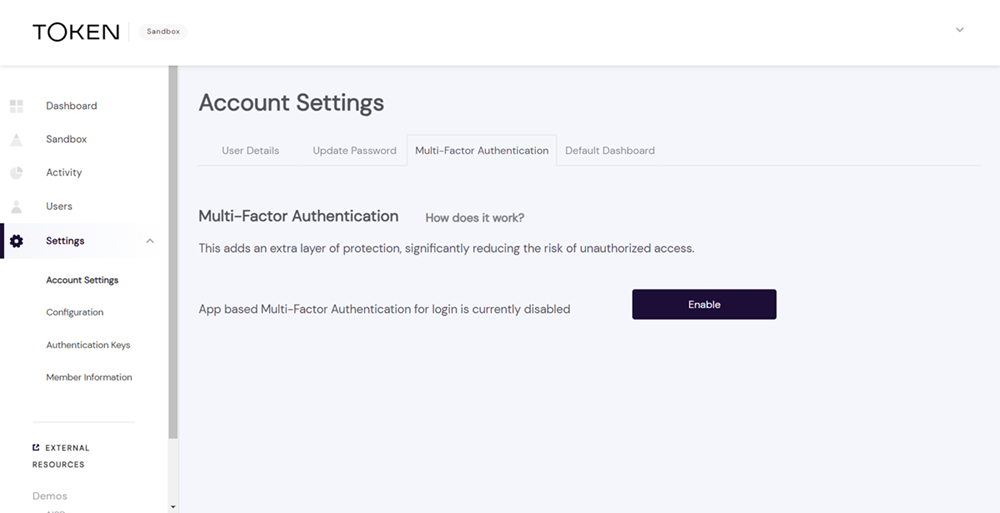
Go to the Dashboard and access the TOTP MFA setup page by visiting Settings > Account Settings > Multi-Factor Authentication.
- Follow the instructions
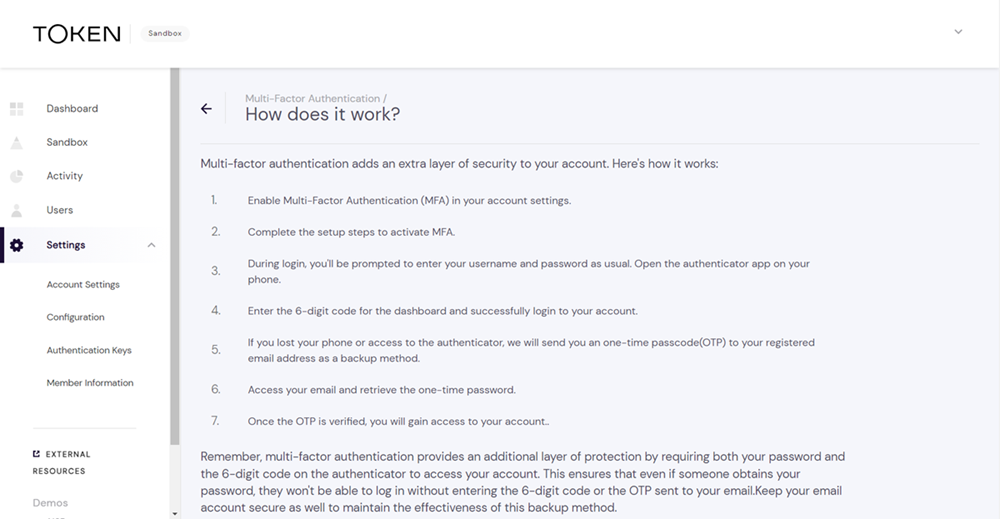
On the TOTP MFA setup page, click How does it work? to display the step-by-step instructions to enable MFA for your account. It's a quick and easy process to add an extra layer of security.
- Use your authenticator app
We recommend using a TOTP-compatible authenticator app (e.g., Google Authenticator, Authy) to generate the time-sensitive codes.
- Enhanced security
Once set up, you'll be prompted to enter the generated code during login, providing an additional layer of security to your account.
If you encounter any issues or have questions, please reach out to Token.io Support.
In our commitment to enhancing security, TPP administrators have the option to enforce TOTP Multi-Factor Authentication for all users under their administration.
- Mandatory MFA
When a TPP admin enforces TOTP MFA, all users associated with that TPP will be required to use the MFA feature during login.
- Onboarding enforcement
Users who haven't set up TOTP MFA will be prompted to complete the onboarding process during their next login.
- Heightened security
Mandatory MFA adds an extra layer of security, reducing the risk of unauthorized access and protecting sensitive information.
- Regulatory compliance
Enforcing MFA aligns with industry best practices and regulatory requirements, ensuring a secure environment for user accounts.
TPP admins, take the lead in strengthening account security. Follow these steps to enforce TOTP MFA.
- Access TPP settings
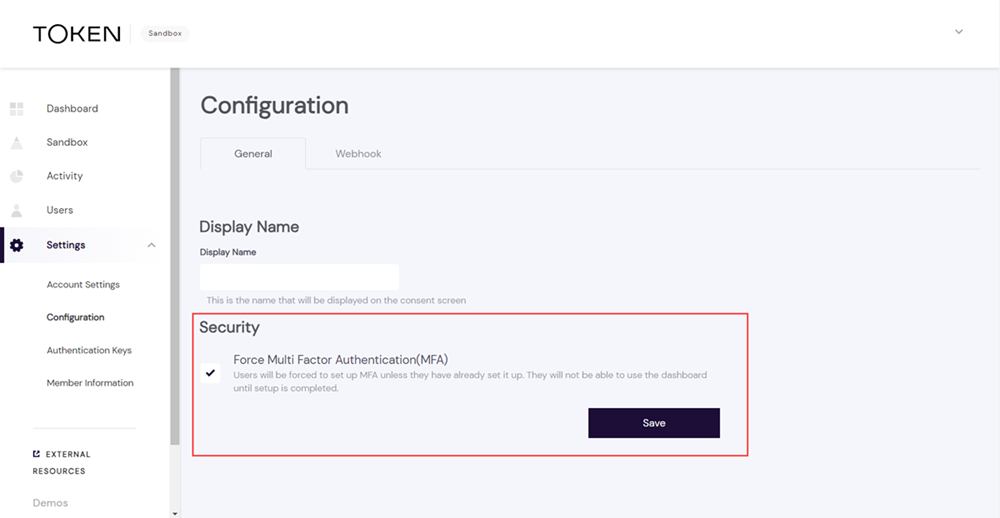
On the Dashboard, navigate to Settings > Configuration > General.
- Enable MFA enforcement
Within Settings, enable the option to enforce TOTP MFA for users under your administration.
- Communicate changes
Inform your users about the upcoming change and the benefits of using TOTP MFA for enhanced security.
For assistance or additional information, contact Token.io Support.
If you have any feedback about the developer documentation, please contact devdocs@token.io